App Store and Google Play Fees in 2026: What You Actually Pay
Want to build your own app?
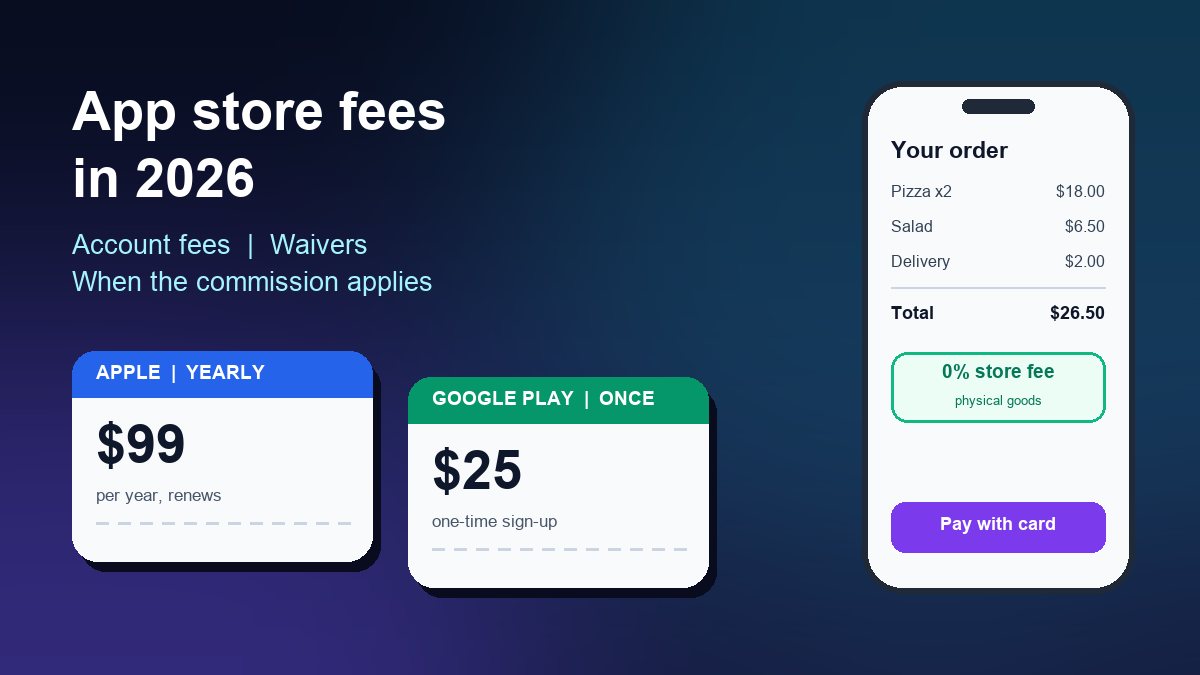
Start Building FreeShort answer: Apple charges US$99 a year for the Apple Developer Program, and Google charges a one-time US$25 to open a Play Console account. Neither store takes anything from a free app, from ads you show, or from physical goods and real-world services you sell, such as food orders, appointments or event tickets. A commission only applies when you sell digital goods inside the app. That means paid downloads, premium content, digital unlocks and subscriptions. Most small businesses then pay around 15%.
Below: each fee, who can get it waived, the 2026 commission rules on each store, and three worked examples to help you price your app before launch. For the step-by-step submission process itself, see the guides to submitting an app to the Apple App Store and publishing on Google Play.
The two account fees at a glance
| Apple App Store | Google Play | |
|---|---|---|
| Account fee | US$99 per year (or the local-currency price where Apple sets one) | US$25, paid once |
| Renewal | Every year | None |
| Fee waiver | Eligible nonprofits, accredited educational institutions and government entities | No waiver, but the fee is small and one-off |
| Account types | Individual or organisation (organisations need a D-U-N-S Number) | Personal or organisation |
| Extra checks | Legal entity verification for organisations | Government ID, and testing requirements for new personal accounts |
Apple: US$99 per year
Every app on the App Store is published from an Apple Developer Program membership. Apple lists the fee as 99 USD a year, or the local-currency equivalent where available. It is an annual fee, so put the renewal date in your calendar. If the membership lapses, your apps stop being available for download until you renew.
If you enrol as a company rather than as an individual, Apple asks for a D-U-N-S Number to confirm your organisation is a real legal entity. Dun & Bradstreet issues these free of charge for Apple enrolment, though it can take a few business days. Enrol as an organisation if you want your business name shown as the seller.
The fee waiver. Apple waives the annual fee for organisations that meet its waiver requirements. You must be a nonprofit, an accredited educational institution or a government entity. You must not be an individual, sole proprietor or single-person business. You also must not sell paid apps, in-app purchases or any other digital goods through your apps. A charity, school or church app that only shares schedules, news and donation links can often qualify. You request the waiver during enrolment, and you confirm you still qualify at each renewal. If your organisation runs events, the guide to event software for nonprofits covers the rest of that budget.
Google Play: US$25 once
Google's Play Console registration costs a one-time US$25. You pay it by credit or debit card; prepaid cards are not accepted. You must be at least 18, and Google may ask for a government ID and a card in your legal name. If those details cannot be verified, the fee is not refunded, so register with your real details from the start.
Choose between a personal and an organisation account. Google says personal accounts created after 13 November 2023 must meet testing requirements before their first app can go live. In practice that means running a closed test with real testers for a set period. Plan two to three extra weeks for this if you open a personal account. An organisation account avoids that step but needs a D-U-N-S Number.
When the stores take a commission, and when they don't
This is the part small businesses most often get wrong. The rule on both stores depends on what you sell.
- Free apps and ads: no commission. A free app pays nothing beyond the account fee. Advertising revenue is not shared with the store.
- Physical goods and real-world services: no commission. Apple's App Review Guideline 3.1.3(e) says that if your app sells "physical goods or services that will be consumed outside of the app", you must use a payment method other than in-app purchase, such as Apple Pay or card entry. Google's Payments policy likewise keeps Play billing out of physical goods and services, naming food delivery, gym memberships and tickets for live events as examples. You take these payments through your own processor and pay only its card fees. The guide to adding payments to an app covers the options.
- Digital goods: commission applies. Paid downloads, premium recipes, video courses, extra levels, ad removal and digital subscriptions have to use the store's in-app purchase system in most countries. The store then keeps a share.
So a restaurant, salon, clinic or event organiser selling real-world things through its app usually pays no store commission at all. The commission question only matters if you sell something that lives inside the app.
Apple's commission in 2026
- Standard rate: 30% on paid apps and in-app purchases.
- Small Business Program: 15%. Under the App Store Small Business Program, new developers and those who earned up to US$1 million in proceeds in the previous calendar year pay 15%. You have to enrol and list any associated developer accounts; it is not automatic. If you pass US$1 million during the year, the standard rate applies to later sales.
- Subscriptions: Apple's subscription terms pay you 70% of the price during a subscriber's first year and 85% after that, at the standard rate. Small Business Program members pay 15% from the start.
Rules on linking to cheaper outside payment options have changed in some regions. Apple's current guidelines no longer stop United States storefront apps from including buttons or links to other ways to buy digital content. The EU and some other regions have their own terms. If you plan to sell digital goods, read the current App Review Guidelines for your main market before you set prices.
Google Play's service fees in 2026
Google changed its fee structure in 2026, and the rate now depends on where your user is. Its service fee page sets out two systems:
- Most countries (including India): 15% on the first US$1 million you earn each year if you enrol in the 15% tier, then 30% above that. Auto-renewing subscriptions are 15% regardless of revenue.
- United States, United Kingdom and the EEA (from 30 June 2026), and Australia and Japan (from 30 September 2026): a new structure that separates a service fee from a 5% billing fee. The billing fee only applies when the purchase goes through Google Play Billing. For auto-renewing subscriptions the total is 10% plus the 5% billing fee. For other transactions, the rate also depends on whether the user installed your app before or after the rollout date, and it is lower for your first US$1 million and for developers in Google's programs.
- India and South Korea: you can offer an alternative billing system next to Google Play Billing. Purchases made through it carry the Play fee reduced by 4%.
For a small business selling a modest subscription, the practical result is similar on both stores. Expect roughly 15% of each digital sale, before taxes, in your first year.
Three worked examples
1. A restaurant ordering app. Customers order and pay for food in the app. Cost in year one: US$99 + US$25 = US$124 in store fees, then US$99 a year. Store commission on orders: zero, because food is a physical good. You pay only your payment gateway's card fees, which is the whole argument for running your own ordering app instead of paying a delivery platform.
2. A yoga studio with on-demand videos. Class bookings and memberships for in-person classes are real-world services, so no commission. A separate US$10-a-month subscription to stream recorded classes is digital, so it must use in-app purchase. In the Small Business Program, Apple keeps about US$1.50 of each payment. On Google Play, most markets charge 15%, and the US and UK charge 10% plus the 5% billing fee. Either way, about US$8.50 reaches you before taxes. Price the streaming plan with that in mind.
3. A church or charity app. It shares events, sermons and a donation link, and sells nothing digital. With an approved Apple fee waiver, the only store cost is Google's US$25. Donation handling has its own rules on each store, so check them before adding a give button.
Other costs to budget for
- Your app builder or developer. Store fees are usually the smallest line in an app budget. Your builder subscription or development cost is the big one.
- A privacy policy page. Both stores require a working privacy policy link. Host it on your website.
- Taxes. In many countries the stores collect sales tax, VAT or GST on digital sales and calculate their commission on the price after tax, so your proceeds are lower than the sticker price.
- Your time for updates. Both stores raise their minimum technical requirements regularly, so plan a few updates a year. The app launch checklist includes the recurring jobs.
If you are still deciding how your app will make money, the guide to app monetisation for small businesses compares the models.
Frequently asked questions
Is it free to publish an app on the App Store?
No. You need an Apple Developer Program membership at US$99 a year, unless your organisation qualifies for Apple's fee waiver. Apple takes nothing extra from a free app.
Is the Google Play fee really one-time?
Yes. The US$25 registration fee is paid once per developer account, and you can publish many apps from that account.
Do Apple or Google take a cut of my ad revenue?
No. Store commissions apply to paid apps and in-app purchases of digital goods. Advertising revenue is not shared with the store.
Sources: Apple Developer (membership, fee waiver, Small Business Program, subscriptions, App Review Guidelines 3.1.1 and 3.1.3) and Google Play Console Help (Play Console registration, service fees, Payments policy), checked 22 October 2026. Store rules change; confirm current terms before you set prices.