
No-code app builder · iOS & Android
Build Mobile Apps Without Code
Create iOS & Android apps for your business in minutes, not months, and plan every step with practical guides on cost, app stores and launch.
- No coding required
- Free to start, free quotes
- New guide: Nov 5, 2026
The build log
Latest guides for app makers
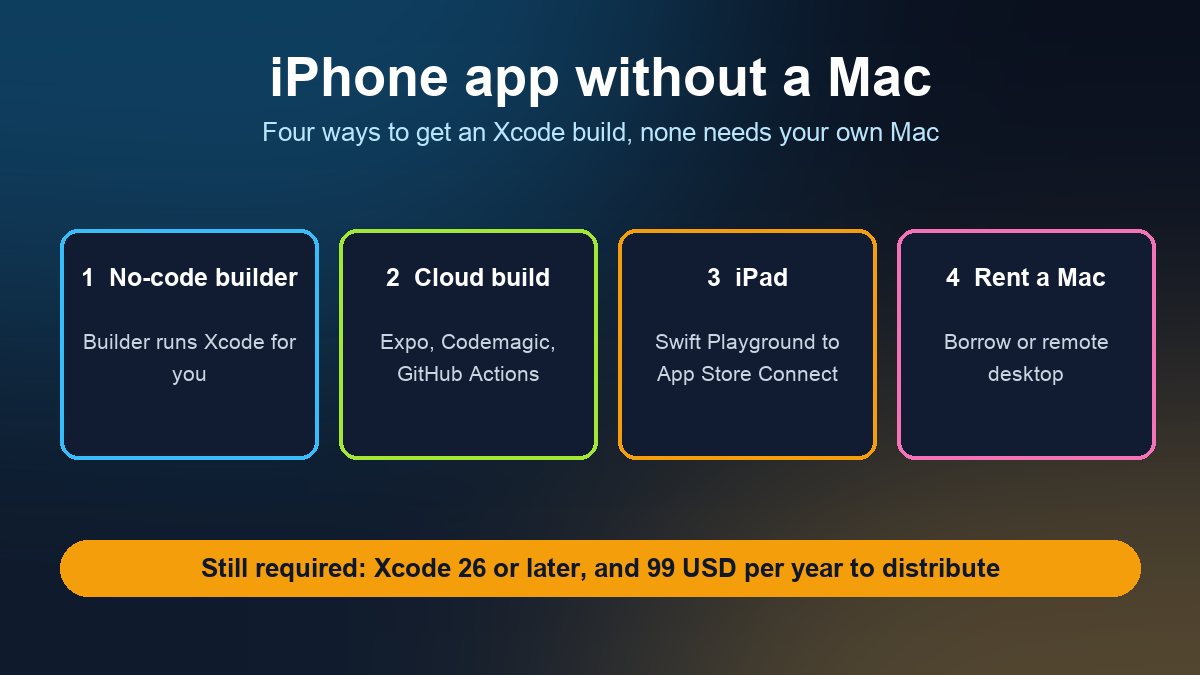
How to Build and Publish an iPhone App Without a Mac (2026)
Xcode only runs on a Mac, but you do not have to own one. Four routes that work in 2026: no-code builders, cloud builds, Swift Playground on iPad, or a rented Mac, plus the 99 USD fee you cannot skip.
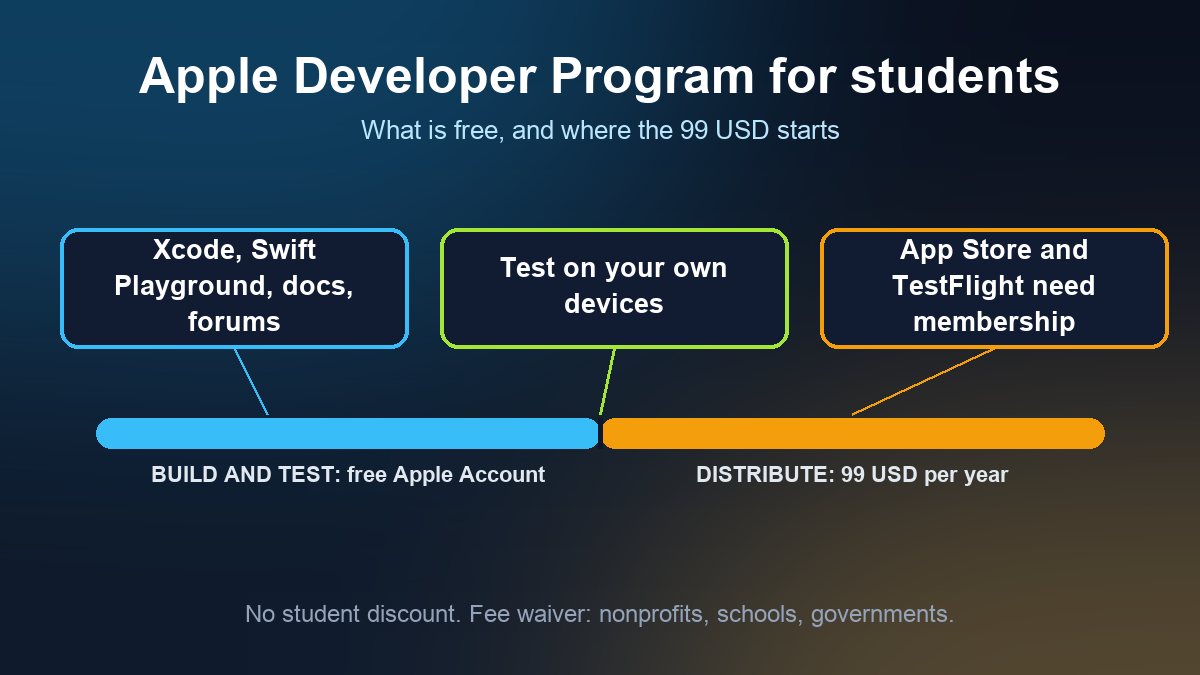
Apple Developer Program for Students: Free vs the 99 USD Fee
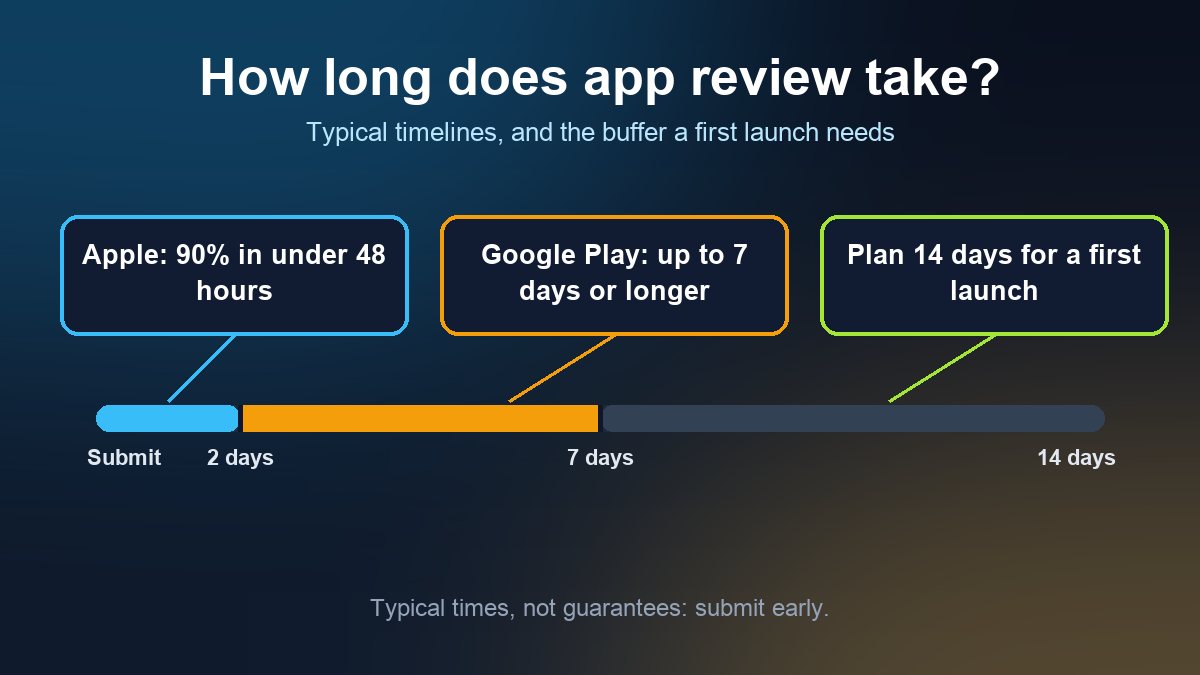
How Long Does App Store Review Take in 2026? Apple and Google Timelines for a First Submission
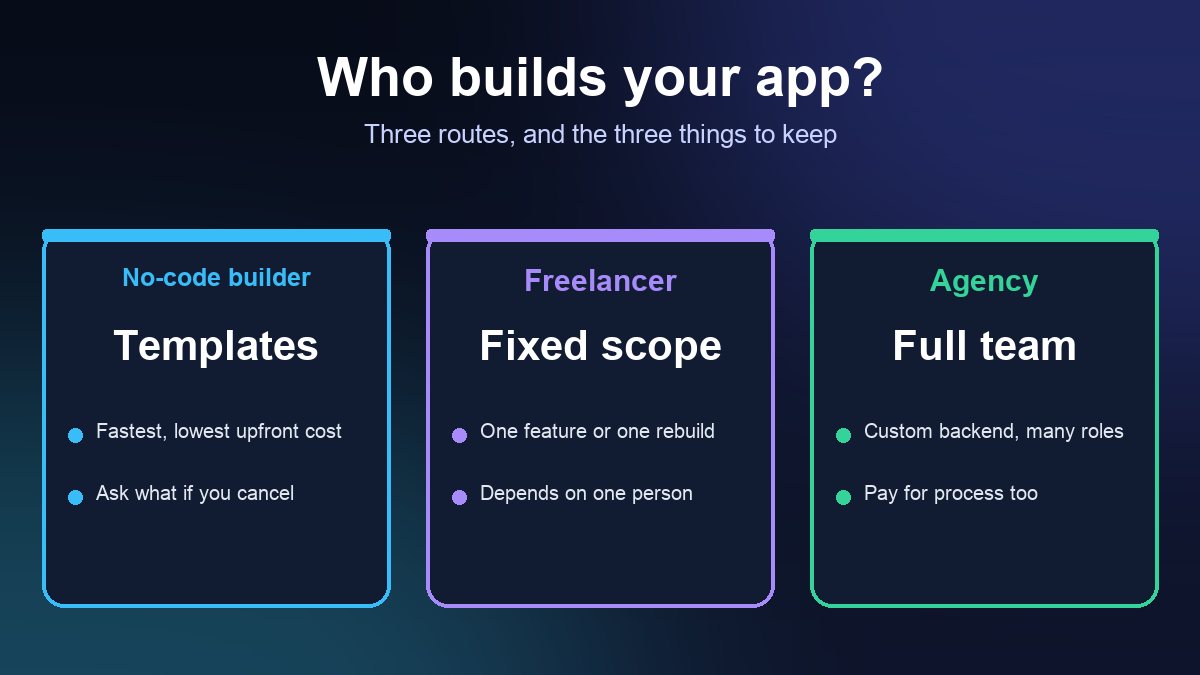
Hiring an App Developer: Freelancer or Agency, and the Contract Terms to Get in Writing
How it works
Three steps from idea to app
Go from a sketch on paper to a published app without hiring a developer.
Choose a Template
Pick a starting layout that matches your industry, then list the screens your customers really need.
Customize Your App
Use the drag-and-drop builder to add features, set your colours, upload content and preview it on a phone.
Publish & Launch
Submit to the App Store and Google Play. Review times and approval are decided by Apple and Google.
What is in the builder
Everything you need to build great apps
Drag & Drop Builder
Build your app visually: pick a section, drop it on the screen, change the words and pictures. No technical skills needed.
Ready-Made Templates
Start from a layout made for your kind of business, such as a restaurant, salon, gym, shop or community group.
Push Notifications
Send offers, reminders and news straight to the phones of people who installed your app.
Analytics Dashboard
See installs, visits and which screens people actually use, so you know what to improve next.
App Store Publishing
Prepare your app for the Apple App Store and Google Play, with checklists for icons, screenshots and store listings.
Custom Branding
Your colours, fonts, logo, splash screen and app icon, so the app looks like your business, not like ours.
Guide shelves
Browse the guides by topic
Plain-language answers on cost, app stores, features and growing an app after launch.
App Builder Guides
24 guides- A-01How to Build and Publish an iPhone App Without a Mac (2026)
- A-02Apple Developer Program for Students: Free vs the 99 USD Fee
- A-03How Long Does App Store Review Take in 2026? Apple and Google Timelines for a First Submission
- A-04Hiring an App Developer: Freelancer or Agency, and the Contract Terms to Get in Writing
Business Apps
8 guidesBusiness Tips
8 guidesPricing
Start free or get a free quote
Do it yourself
Build your own app with the no-code builder
Free to start
- Drag-and-drop builder
- Ready-made templates
- iOS and Android
- Guides and community help
Custom app, built for you
Our team designs, builds and publishes it
Free quote
- Written scope and fixed price
- Design matched to your brand
- Logins, payments, push, backend
- App Store and Google Play publishing
Care and growth
For apps that are already live
Free quote
- Updates for new OS versions
- Fixes and new features
- App Store optimisation
- Analytics and monetisation
FAQ
Frequently asked questions
Do I need coding experience?
No. 2CreateApps is built for people without a technical background. You build screens visually with drag and drop, so if you can use a smartphone you can build an app.
Can I publish to the App Store and Google Play?
Yes. Apps built with 2CreateApps can be prepared for both the Apple App Store and Google Play. Approval is always decided by Apple and Google, so read their review guidelines first; our blog walks through both stores step by step.
How long does it take to build an app?
A simple app built from a template can come together in an afternoon. Store review then adds its own waiting time, which is set by Apple and Google rather than by us.
Is there a free plan?
Yes. The no-code builder is free to start, so you can build and test your idea on your own. If you want our team to build a custom app for you, request a free, written quote.
Can I customize the design?
Yes. You can change colours, fonts, logos, splash screens, app icons and layouts. If you need a fully custom design, our team can build it for you: request a free quote.
What kind of support do you offer?
Builder users get guides and community help. Apps we build for you include direct support from our team, and you can always send us a message from the Contact page.
Ready to Build Your App?
Build a mobile app for your business with 2CreateApps, no coding needed, or let our team build it. Free to start.